Centro de ayuda / For owners
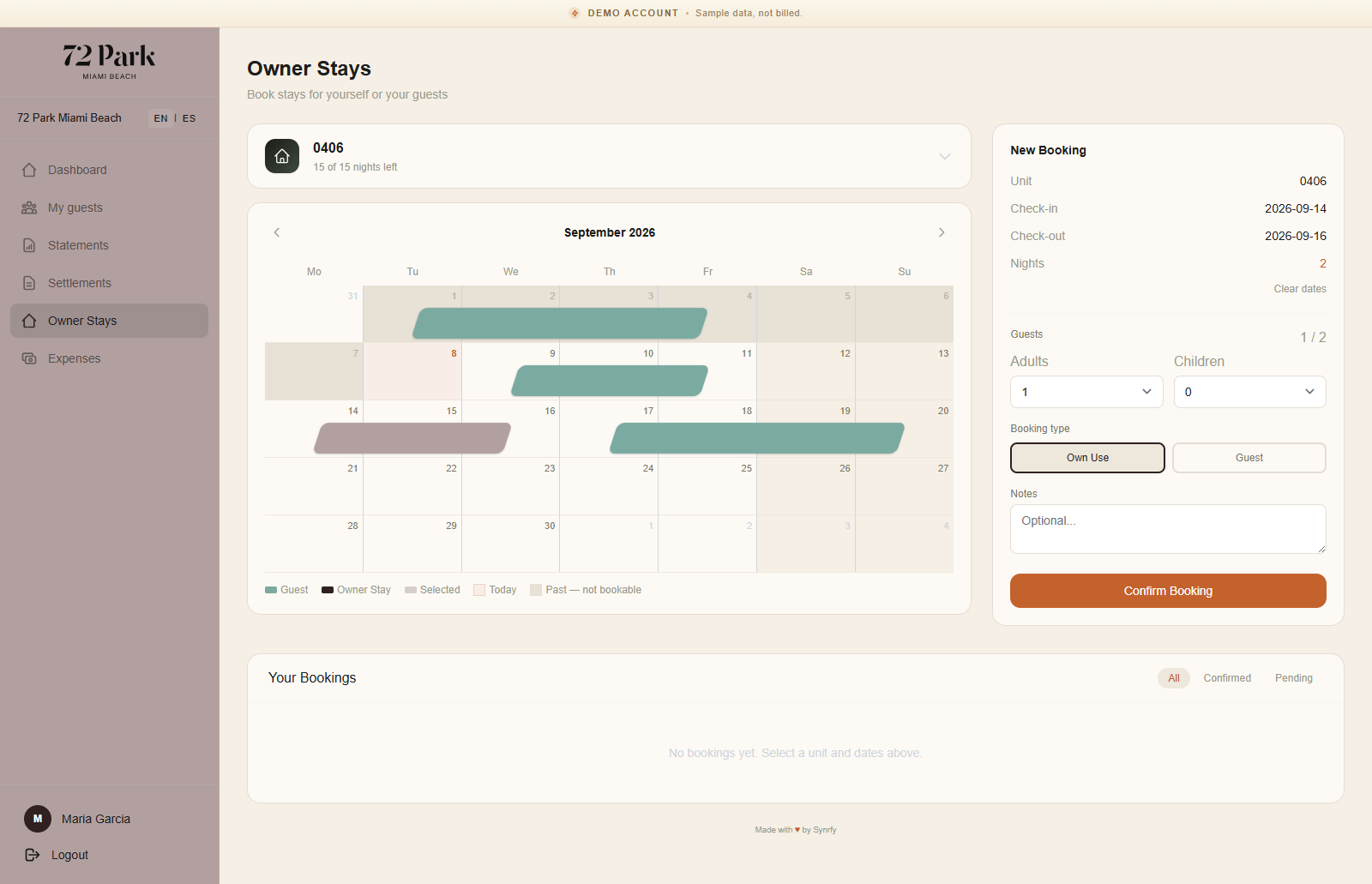
Book a stay in your own unit
Este artículo solo está disponible en inglés por ahora. El resto del centro de ayuda está en español.
Reserve your unit for personal use.
Para propietarios · 2 min de lectura
Book an owner stay
- 1 Open Owner stays and pick the unit and dates.
- 2 Confirm — the stay is reserved and, where supported, pushed to the PMS so the front desk sees it.
- 3 It appears on your calendar and counts against your allowance.
You can cancel a stay you no longer need; the dates and any allowance are freed up again.
Notas: Owner stays are excluded from revenue balancing — using your own week never counts against your share of guest revenue.