Help center / For owners
Book a stay in your own unit
Reserve your unit for personal use.
For owners · 2 min read
Book an owner stay
- 1 Open Owner stays and pick the unit and dates.
- 2 Confirm — the stay is reserved and, where supported, pushed to the PMS so the front desk sees it.
- 3 It appears on your calendar and counts against your allowance.
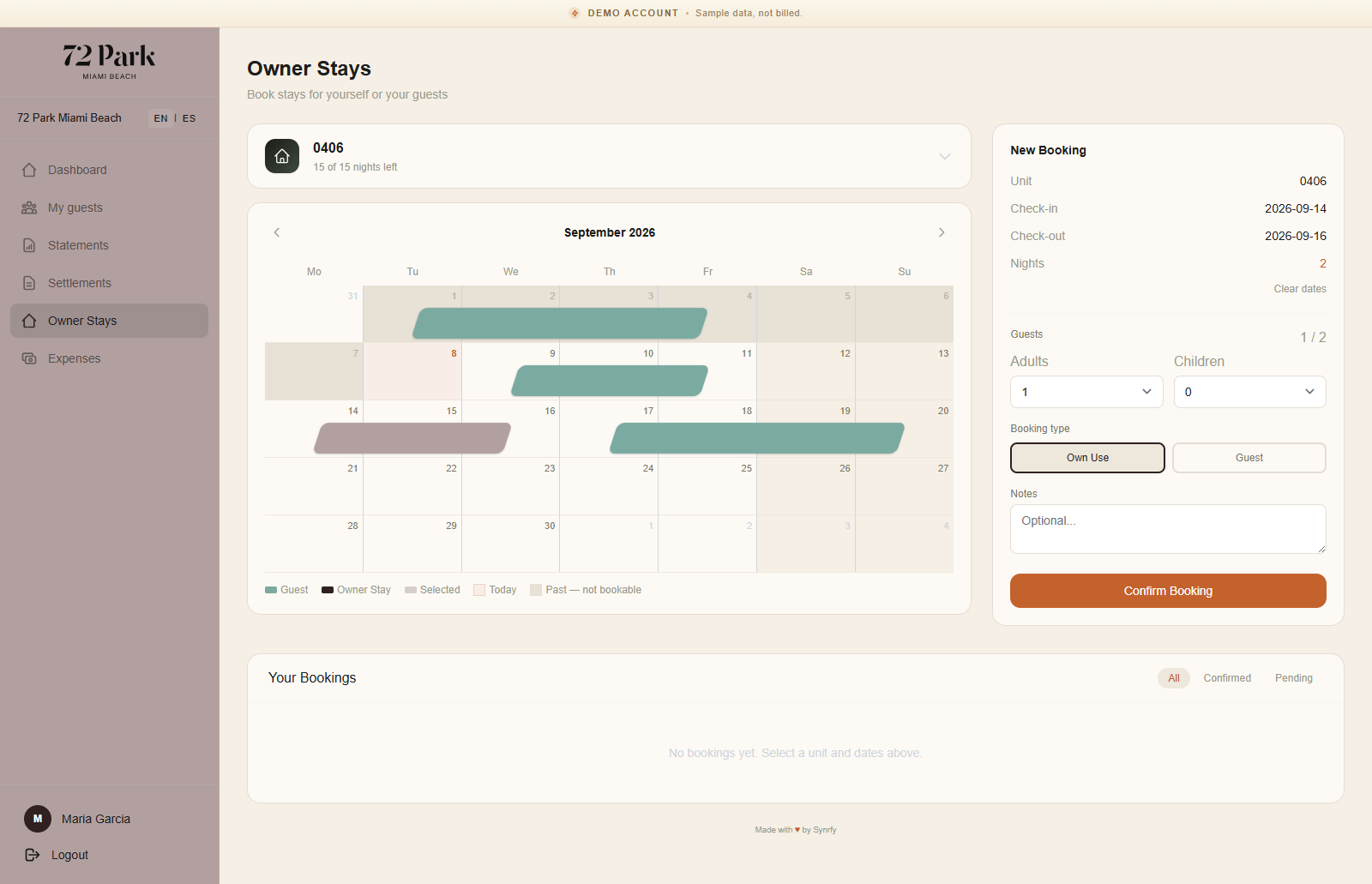
You can cancel a stay you no longer need; the dates and any allowance are freed up again.
Note: Owner stays are excluded from revenue balancing — using your own week never counts against your share of guest revenue.