Help center / Revenue balancing & room rotation
Reading the allocation audit log
See every routing decision the engine made, and why.
For operators · 3 min read
Every routing decision is recorded so you can see exactly what happened and explain it to owners.
Open it
- 1 Open the property and choose View full audit log from the Reservation routing card.
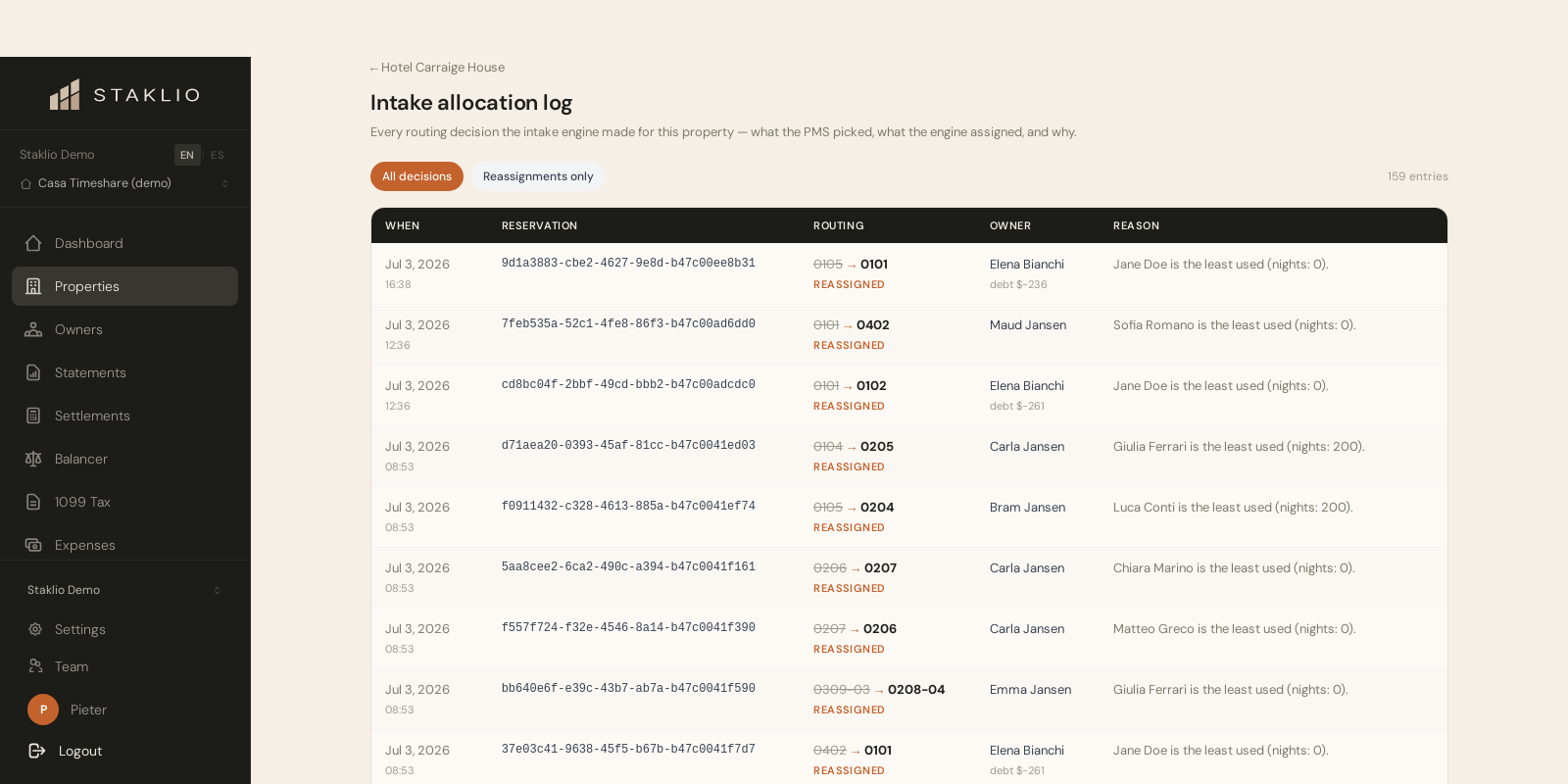
- 2 Each row shows the reservation, the room your PMS originally picked, the room Staklio assigned, whether it was moved, and the reason — in the terms of whichever model that property uses.
- 3 Use Show moved only to filter to just the reassignments.
Note: Automatic routing and the balancer queue are the same ranking, decided at different moments — one at intake without asking, one when you work the queue. The log records both, so a decision can be explained to an owner months later whichever way it was made.