Centro de ayuda / Getting started
Set up your first property end to end
Este artículo solo está disponible en inglés por ahora. El resto del centro de ayuda está en español.
From sign-up to a live, owner-ready property — the full checklist.
Para operadores · 5 min de lectura
Connecting your PMS is one step. This is the rest of the path to a property you can put owners on. Before You Go Live covers the same ground as a checklist with the consequences spelled out; this page is the quick version.
Full setup checklist
- 1 Connect your PMS so reservations, room types and rates sync in (see Connecting your PMS).
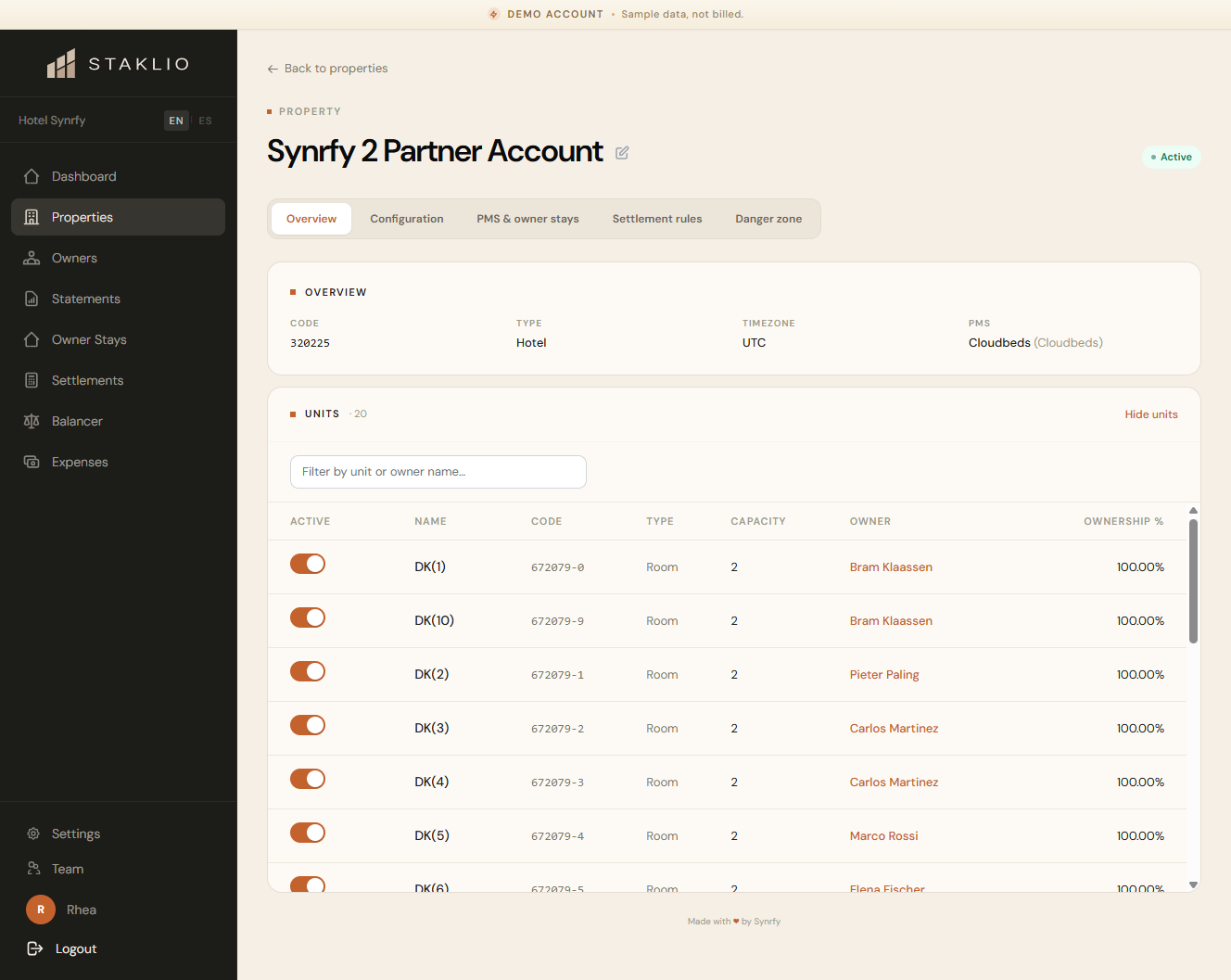
- 2 Review your units — they're imported during the first sync. Check each one has the right room type.
- 3 Check your property settings, in particular the owner stay source and any non-room types to exclude.
- 4 Add owners and assign units, with a start date per contract.
- 5 Set owner visibility defaults — what each owner can see (financials, calendar, guest names, owner stays).
- 6 Enter your settlement rules under Settlements → Rules. This is your management agreement; nothing is filled in for you that reflects your actual contract.
- 7 Generate one test settlement and read it before an owner does.
- 8 Optionally let Staklio assign rooms for new bookings — automatically, or queued for your review.
- 9 Optionally customise branding so the owner portal carries your logo and colours.
- 10 Invite owners last, once the rest is in place.
Notas: Ownership mode — direct, timeshare or points — is set by us when your account is created, not by you. If it is wrong, settlements produce nothing at all; contact support rather than looking for a setting.
Notas: You can run a property with routing off and use the manual revenue balancer instead. Both keep earnings fair — routing is proactive (at booking time), the balancer is reactive (review and apply).